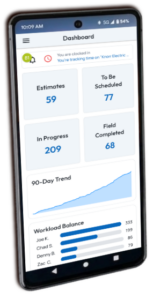
The dashboard provides an interactive, real-time overview of your business’ status within the app. Quickly see a summary of your active jobs, clock in or out, view notifications, filter jobs by status, and more using the dashboard view.
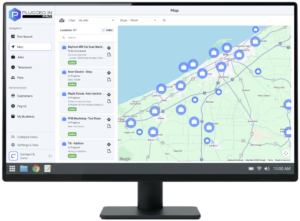
Desktop Version
Perfect for administrators or when you’re back in the office. The Web app is full-featured and optimized for larger screens.
Tailored Configuration
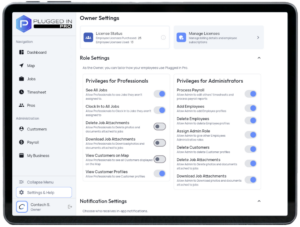
As the Owner, you get to decide who has access to certain parts of the app.
Toggle privileges for Professionals
Toggle privileges for Administrators
Choose who gets notified of specific events
Configure timesheet settings
Manage employee licenses
Timekeeping Made Easy
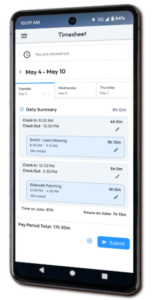
Let each Pro track their own time right from their phone, reducing administrative paperwork, and physical time clocks.
Clock in / out of shifts
Log billable time on jobs
Manage your own timesheet
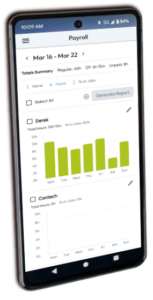
Payroll at a Glance
See an overview of the pay period for every employee.
Edit employee timesheets
Add company-wide vacation days
Generate professional payroll reports
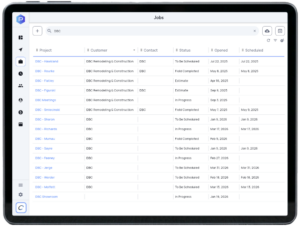
Find Records Fast
Search for Jobs, Customers, or Pros. Customize each data table by choosing, arranging, and adjusting columns. Sort by various metrics. Filter based on status, and more.
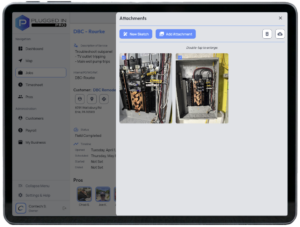
Attach Photos and Documents
Keep photos, spec sheets, maintenance records, etc. attached right to specific jobs for a complete documentation record. There’s even a built-in sketch pad for note taking.
Enlarge and scroll through attachments
Upload, download, and delete files
Include attachment previews in job reports
There's more planned and we're constantly evolving based on feedback from daily users.
Proudly engineered and developed in the United States of America